
Photos, files and templates in the mobile app
Besides text, you can send a customer a photo, any file or a ready-made reply from your organization’s templates. Everything is behind the paper clip in the Omnichannel Contact Center by SMSBAT app.
For everything else in the app, see the Mobile app guide. How to write and send a plain reply: Reply to a customer in the mobile app.
Open the paper clip menu
In a chat, tap the paper clip to the left of Write a message…. The menu has three items:
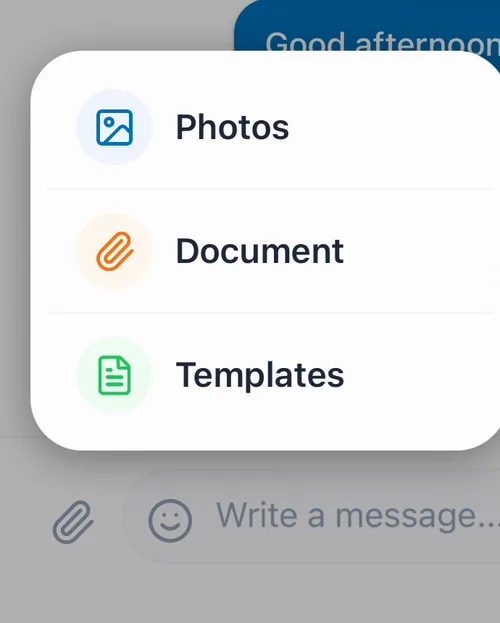
| Item | What it does |
|---|---|
| Photos | Opens your phone’s photo library. |
| Document | Opens the file picker. You can send a file of any type. |
| Templates | Opens your organization’s ready-made replies. |
Send a photo
- Tap the paper clip, then Photos.
- The first time, allow the app to access your photos.
- Tap the photo. It goes to the customer at once, there is no extra confirmation.
The photo appears in the chat as your message. Two ticks mean it has reached the customer. Photos are compressed before sending.
Send a file
- Tap the paper clip, then Document.
- Pick the file. It is sent at once.
If a file cannot be sent, the message turns red with an ! mark. Try again, or send the file from chat.smsbat.com.
Reply with a template
- Tap the paper clip, then Templates.
- Find the template in the list or type part of its name in Search templates….
- Tap the template. Its text goes into the message box.
- Change the text if needed and tap send.
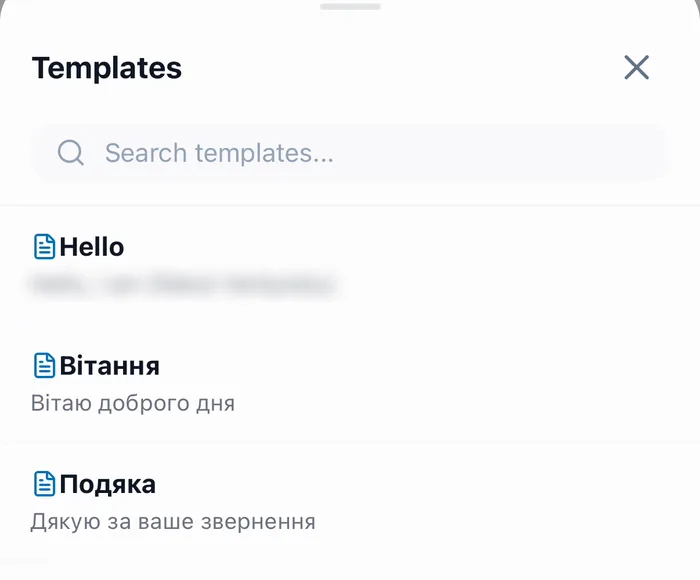
Templates are created in the web workspace, see Templates, contacts and settings. If the list is empty, the app shows No templates found.
Common questions
Can I cancel a photo after tapping it? No, the photo is sent at once. If you sent the wrong one, press and hold the message to see what you can do with it, see Actions on a message.
Does the customer see that the reply came from a template? No. The customer receives an ordinary message with the template text.
Where are the files the customer sends me? In the chat. Tap a photo to open it full screen, tap a file to open it.