

Chrome extension

Omni Contact Center SMSBAT for Chrome: customer chats one click from any CRM

Highlight a phone number on any page, open the existing conversation or start a new one in Viber, WhatsApp, Telegram or SMS without leaving your CRM

The free Chrome extension connects the SMSBAT operator workspace to the pages you already work in: KeyCRM, SalesDrive, OneBox, Bitrix24, HubSpot, Gmail, Google Sheets or any other web app. It signs in with your existing chat.smsbat.com session, shows unread counts on the toolbar icon and lets you search, open and create chats from a popup or a slide-over panel.

1 click

From a phone number on a page to the customer's chat

4 channels

Viber, WhatsApp, Telegram and SMS from one panel

30 s

Unread counter on the icon refreshes every half minute

0 €

Free for every SMSBAT Omni operator

Real screenshots

What it looks like

Version 1.0.0 in Chrome, next to Gmail and a CRM.

Omni Contact Center SMSBAT · v1.0.0
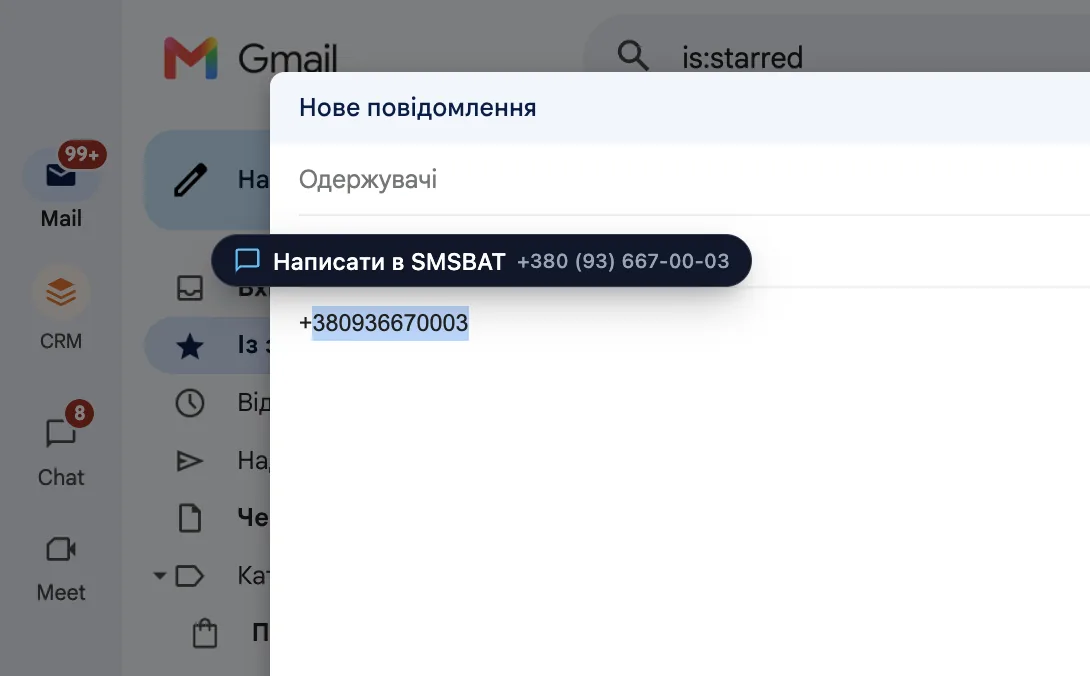
Selection button

Selection button

A phone number highlighted in Gmail shows the «Write in SMSBAT» button next to the cursor.

Omni Contact Center SMSBAT · v1.0.0
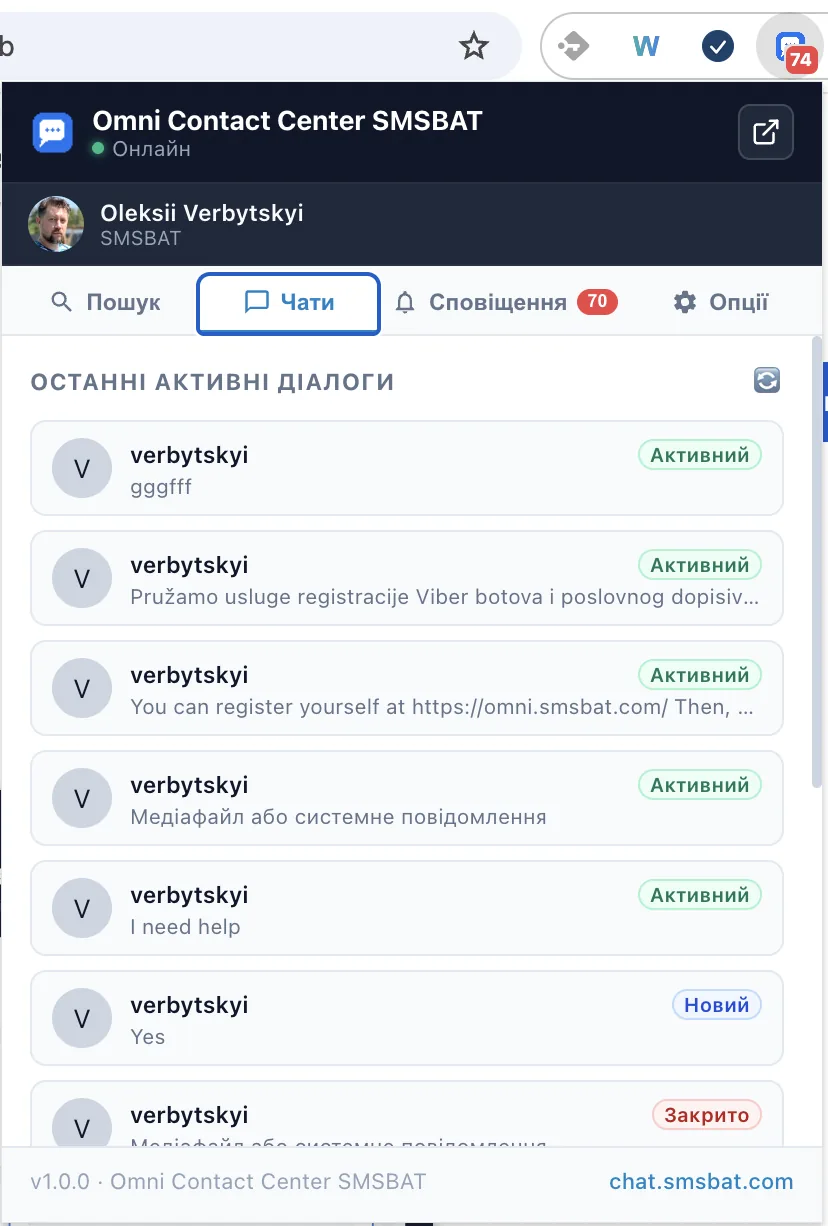
Popup with recent chats

Popup with recent chats

Recent dialogues with statuses, notification counter and quick access to the full workspace.

Omni Contact Center SMSBAT · v1.0.0
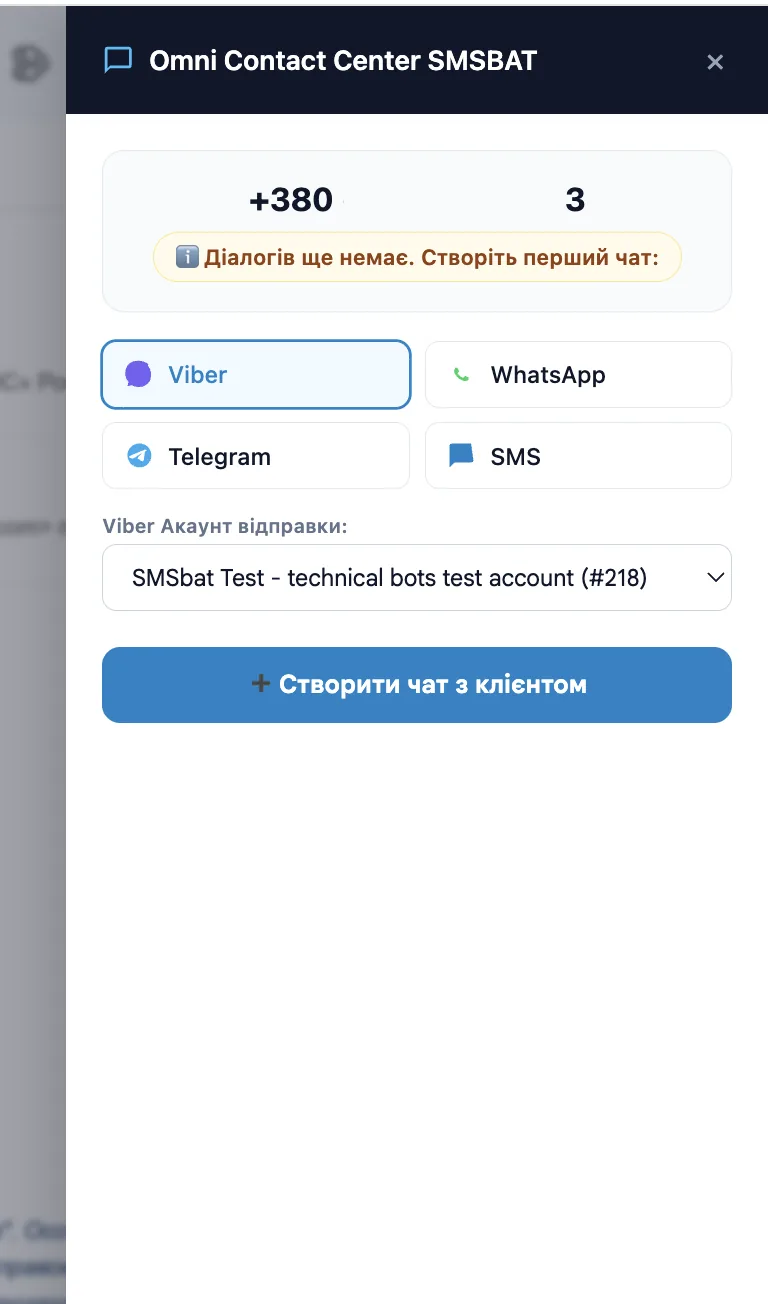
New chat from the panel

New chat from the panel

No dialogue yet: pick Viber, WhatsApp, Telegram or SMS, choose the sending account and create the chat.

Available in the Chrome Web Store

Who it is for

Teams that answer customers in SMSBAT Omni but spend the day in another system.

Sales in a CRM

A manager opens a deal in KeyCRM or Bitrix24 and writes to the customer in the messenger without switching tabs.

Support desks

A ticket contains a phone number; the operator sees whether a chat already exists and continues it.

Delivery and logistics

Dispatchers write to the recipient straight from the order list or the route sheet.

Gmail and helpdesk inboxes

A number in an email or a ticket becomes a Viber or WhatsApp conversation in one click.

Spreadsheets and admin panels

Phone numbers in Google Sheets, an admin panel or an internal tool get a chat icon next to them.

Team leads

Unread counts and new-request notifications on the toolbar icon even when the operator panel is closed.

What the extension does

Everything below is in version 1.0.0 and works with your regular SMSBAT Omni account.

Signs in without a password

The extension reads your active session on chat.smsbat.com or omni.smsbat.com. Sign in there once and the extension is authorised; no credentials are stored in the extension itself.

Unread counter and notifications

The toolbar icon shows the number of unread messages and new requests, refreshed every 30 seconds, and Chrome shows a desktop notification for a new incoming request.

Popup: search, recent chats, notifications

Search a customer by phone number, open one of the recent dialogues with its status, review notifications and mark them all as read, or jump to the full workspace.

Highlight a number, get a button

Select a phone number on any page and a floating button appears next to the cursor. One click checks whether a chat exists and opens it.

Chat icons next to phone numbers

The extension scans the page for phone numbers, including single-page CRMs that redraw content, and adds a small chat icon next to each one. It can be switched off in the settings.

Slide-over panel on top of the CRM

If a dialogue exists you reply or open it in a full tab; if not, you pick the channel (Viber, WhatsApp, Telegram, SMS), the sending account and create the chat without leaving the page.

Right-click menu

Select a number, right-click, choose «Write in Omni Contact Center» and the same panel opens.

Defaults you set once

Default channel, default sending account, default country code for local numbers, and toggles for the number icons and the selection button.

How to start

Two minutes, no administrator needed.

1

Install from the Chrome Web Store

Open the store page and press «Add to Chrome». Works in Chrome and in other Chromium browsers that support the store, such as Edge, Brave and Opera.

2

Sign in to chat.smsbat.com

Log in to the operator workspace in the same browser as usual. The extension picks up the session on its own.

3

Set the defaults

In the popup settings choose the default channel, the sending account and the country code for numbers written without a prefix.

4

Open your CRM

Phone numbers get a chat icon; highlight any number to see the button. The toolbar icon starts showing unread counts.

Chrome extension questions

Answer customers from the page you are already on

Install the free extension, sign in to chat.smsbat.com and every phone number in your CRM becomes a chat.